
Secure secrets for teamsand every environment.
Secure secrets at runtime, across every environment.
01 / Bootstrap once
A CLI that understands the repository before it runs it.
Quickstart detects a local command, links the project and environment, and hands back the next command without turning the demo into a real shell session.
Read the CLI guiderunenv quickstartQuickstart is selected. Press Run demo to see it in action, or choose another flow above.
Simulated in your browser. No command is executed.
Compare the shape of two environments before you move anything.
An interactive reproduction of the RunEnv dashboard’s environment diff workflow using masked, fictional values only.
Environment Compare & Sync
Compare secret differences between two environments and copy values.
Showing 13 of 13
03 / Promote with intent
Make production changes a reviewable handoff.
RunEnv supports environment promotion with snapshots and approval rules so a developer’s change can move quickly without losing the control point.
Environment promotion
Move selected changes through a controlled environment path.
| Selected changes | Policy |
|---|---|
PAYMENTS_API_URLChanged | approved scope |
FEATURE_BILLING_V2New | approved scope |
SENTRY_TRACES_SAMPLE_RATEChanged | approved scope |
04 / Bound every agent
Issue a narrow access pack instead of a reusable credential.
Agent Access Packs are scope- and TTL-bound. Agent Guard adds policy, approval, and tamper-evident receipts around the action itself.
Explore agent integrationsCreate Access Pack
Runtime delivery pack
Limits one agent to selected keys, one environment, and a short-lived session.
05 / Keep recovery close
Every change has a version you can inspect and restore.
Environment snapshots and audit history let teams understand the delta first, then take a deliberate rollback action when it is needed.
Snapshot History
Restoring creates a new version and preserves this snapshot in the audit history.
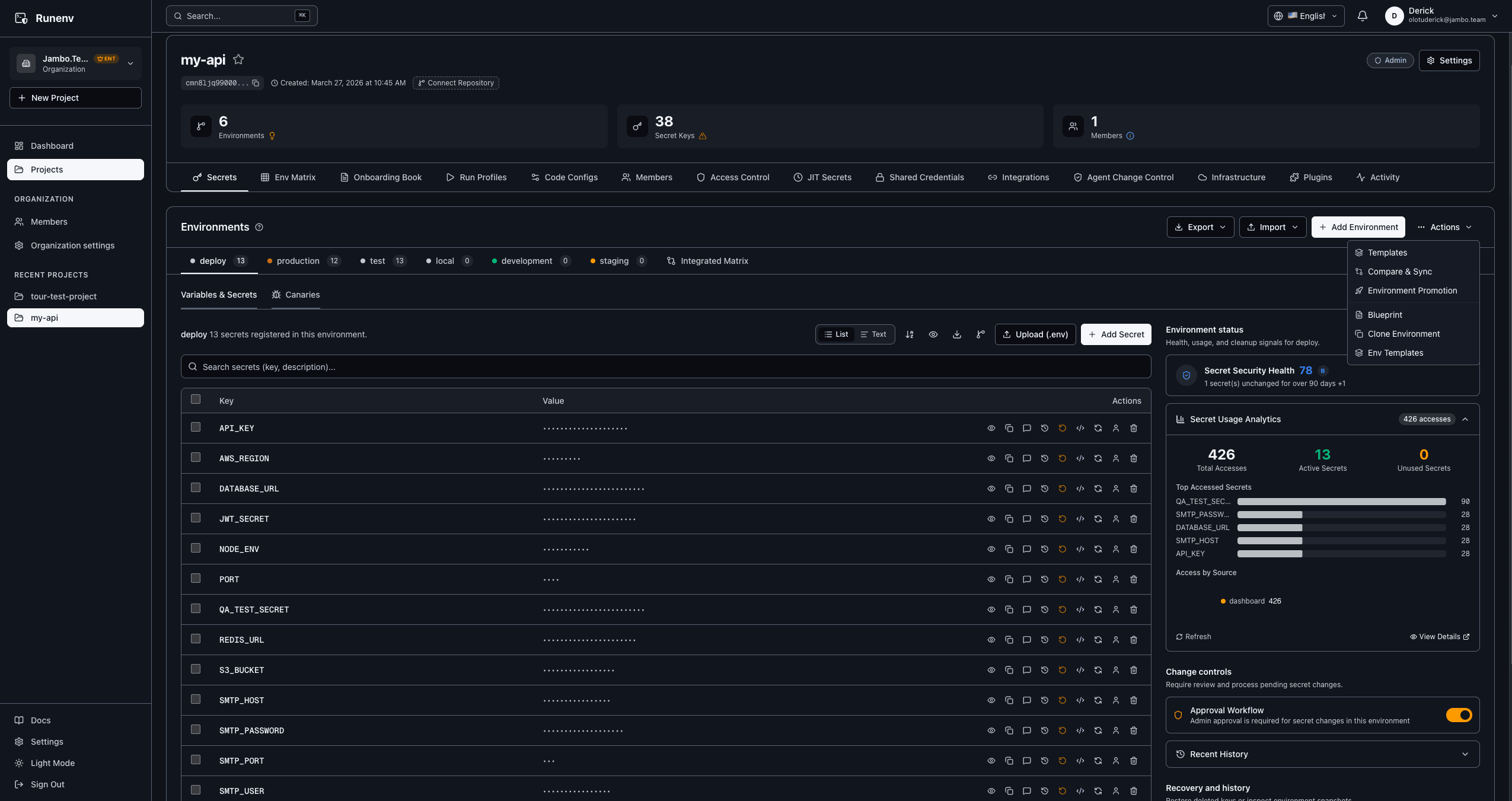
The operational surface
One workspace for environments, controls, and the people who own them.
Secret inventory, environment context, audit controls, members, and access settings meet in the operational surface teams use every day.
Authentic product interface. Secret values in the screenshot are masked.
Start with the repository you have.
Create an account, connect a project, and use Quickstart to choose the next safe command for your local workflow.